Appendix A: Restoration of Factory Defaults
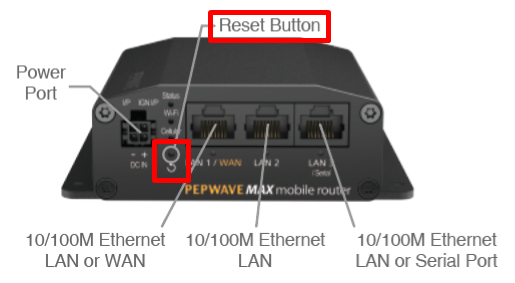
To restore the factory default settings on a Peplink router, follow the steps below:
- 1.Locate the reset button on the front or back panel of the Peplink router.
- 2.With a paperclip, press and keep the reset button pressed.
Hold for approximately 20 seconds for factory reset (Note: The LED status light shows in RED, all WAN/LAN port lights start blinking, and release the button).
After the Peplink router finishes rebooting, the factory default settings will be restored.
Important Note |
All previous configurations and bandwidth usage data will be lost after restoring factory default settings. Regular backup of configuration settings is strongly recommended. |