
4. B One Series Overview
4.1. B One
4.1.1. Panel Appearance
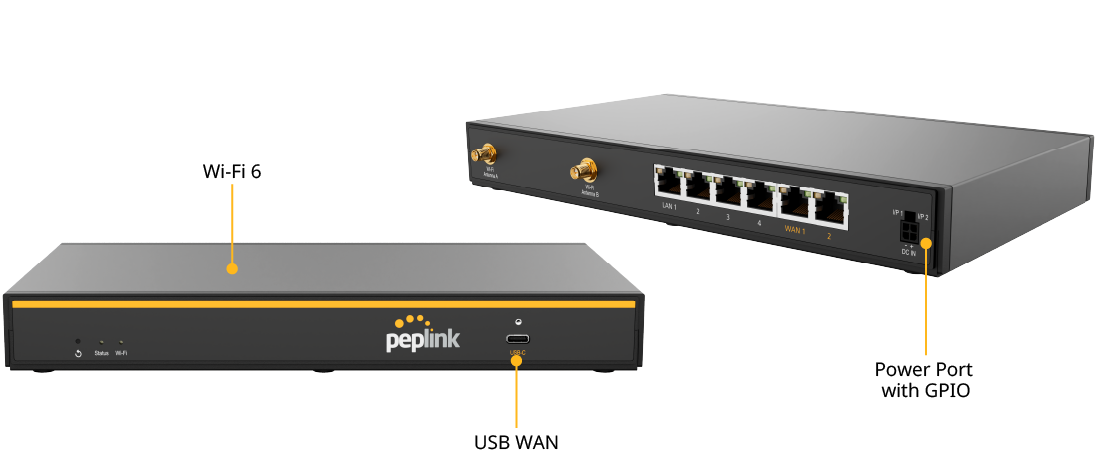
4.1.2. LED Indicators
The statuses indicated by the front panel LEDs are as follows:
Wi-Fi Indicator | ||
Wi-Fi | OFF | Wi-Fi AP or Wi-Fi WAN is disabled. |
Green | Wi-Fi AP or Wi-Fi WAN is enabled. | |
Status Indicator | ||
Status | OFF | Power Off |
Red | Booting up or busy | |
Blinking red | Boot up error | |
Green | Ready | |
4.2. B One Plus
4.2.1. Panel Appearance
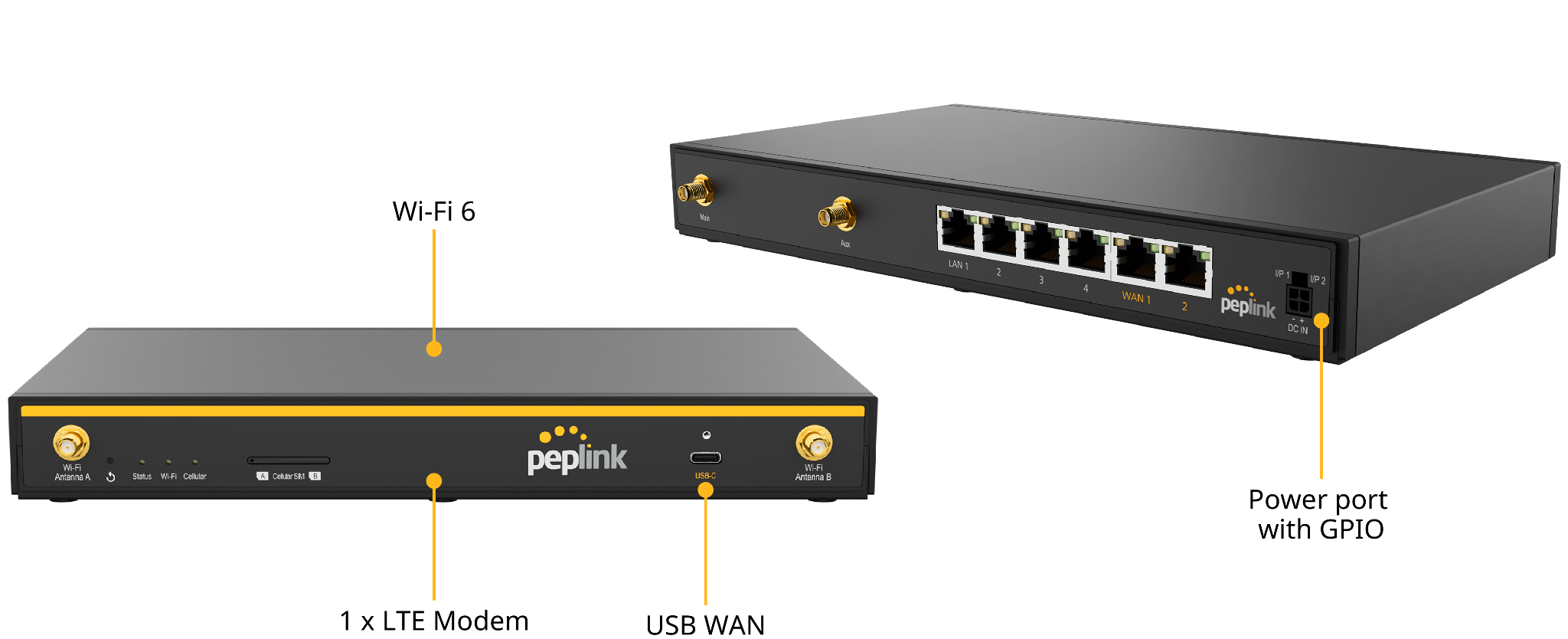
4.2.2. LED Indicators
The statuses indicated by the front panel LEDs are as follows:
Wi-Fi Indicator | ||
Wi-Fi | OFF | Wi-Fi AP or Wi-Fi WAN is disabled. |
Green | Wi-Fi AP or Wi-Fi WAN is enabled. | |
Cellular Indicator | ||
Status | OFF | Disabled or no SIM card inserted |
Blinking Slowly | Connecting to network(s) | |
Green | Connected to network(s) | |
Status Indicator | ||
Status | OFF | Power Off |
Red | Booting up or busy | |
Blinking red | Boot up error | |
Green | Ready | |
4.3. B One 5G
4.3.1. Panel Appearance
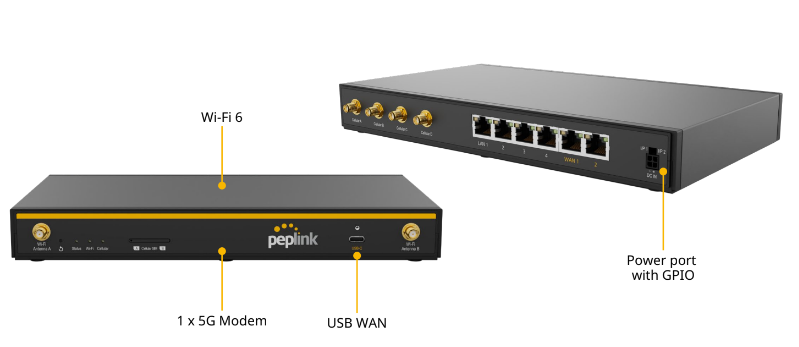
4.3.2. LED Indicators
The statuses indicated by the front panel LEDs are as follows:
Wi-Fi Indicator | ||
Wi-Fi | OFF | Wi-Fi AP or Wi-Fi WAN is disabled. |
Green | Wi-Fi AP or Wi-Fi WAN is enabled. | |
Cellular Indicator | ||
Status | OFF | Disabled or no SIM card inserted |
Blinking Slowly | Connecting to network(s) | |
Green | Connected to network(s) | |
Status Indicator | ||
Status | OFF | Power Off |
Red | Booting up or busy | |
Blinking red | Boot up error | |
Green | Ready | |