
29. Tools
29.1. Ping
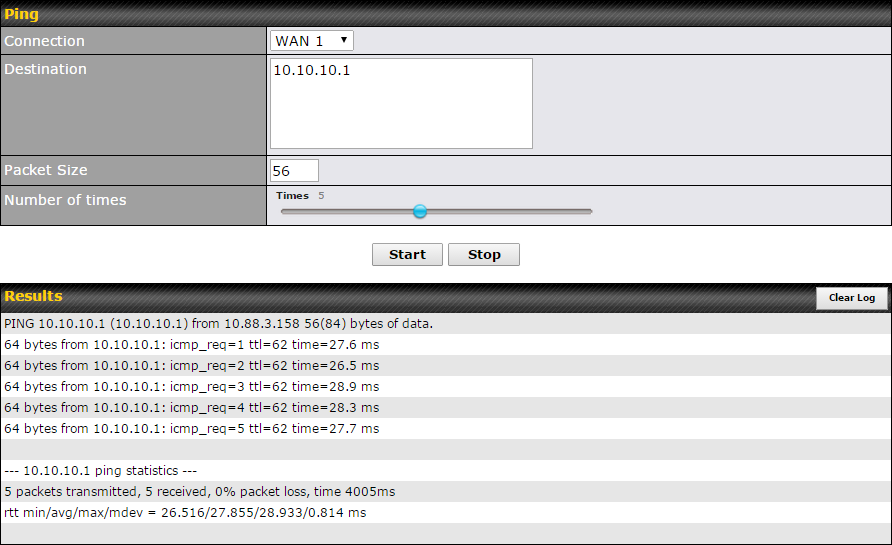
The ping test tool sends pings through a specific Ethernet interface or a SpeedFusionTM VPN connection. You can specify the number of pings in the field Number of times, to a maximum number of 10 times. Packet Size can be set to a maximum of 1472 bytes. The ping utility is located at System > Tools > Ping, illustrated below:
Tip |
A system administrator can use the ping utility to manually check the connectivity of a particular LAN/WAN connection. |
29.2. Traceroute Test
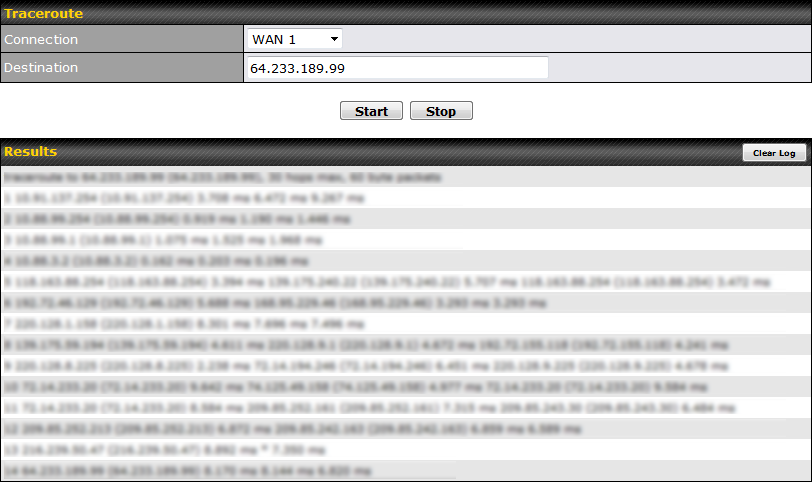
The traceroute test tool traces the routing path to the destination through a particular Ethernet interface or a SpeedFusionTM connection. The traceroute test utility is located at System > Tools > Traceroute.
Tip |
A system administrator can use the traceroute utility to analyze the connection path of a LAN/WAN connection. |
29.3. Wake-on-LAN
Pepwave routers can send special “magic packets” to any client specified from the Web UI. To access this feature, navigate to System > Tools > Wake-on-LAN.

Select a client from the drop-down list and click Send to send a “magic packet”.
29.4. WAN Analysis
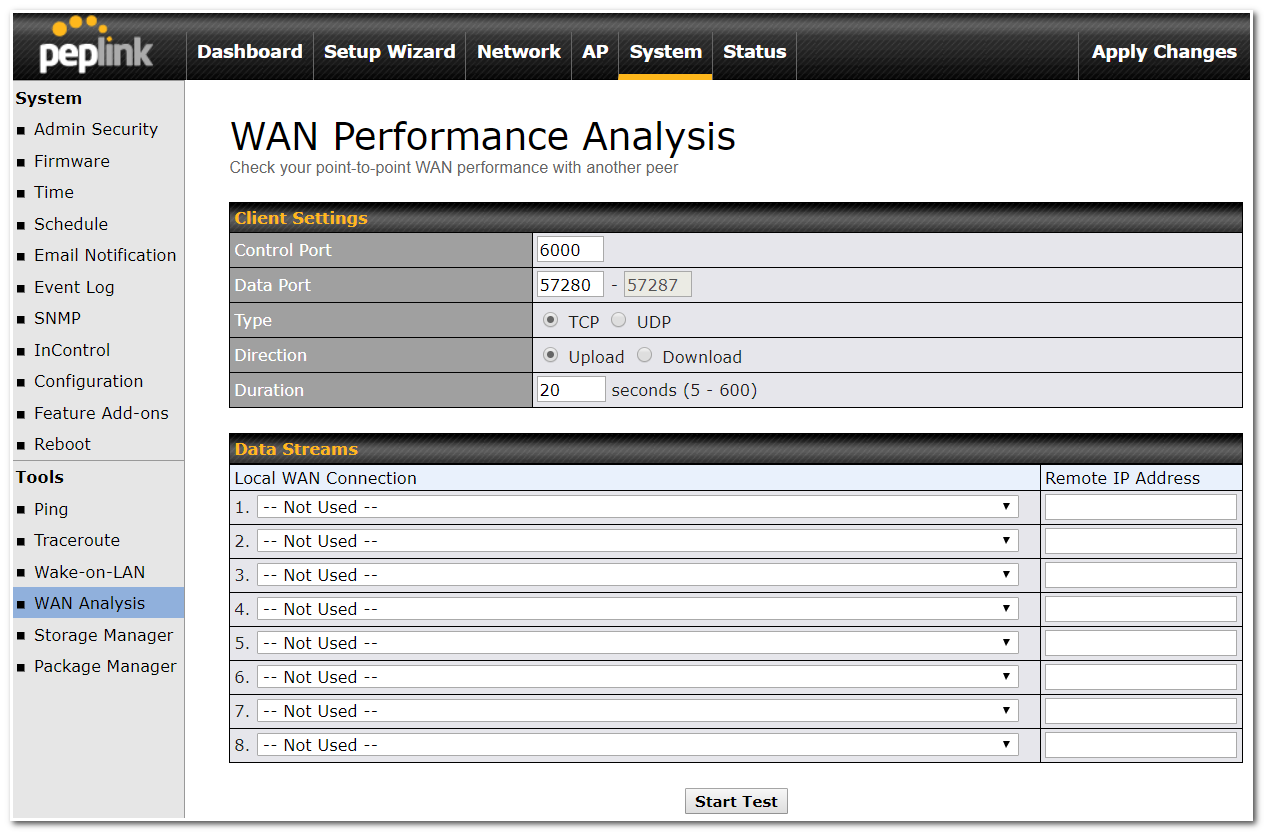
The WAN Analysis feature allows you to run a WAN to WAN speed test between 2 Peplink devices .
You can set a device up as a Server or a Client. One device must be set up as a server to run the speed tests and the server must have a public IP address.
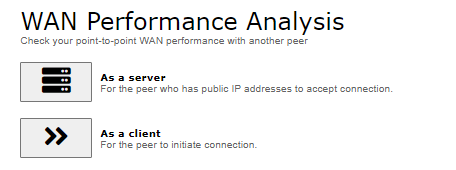
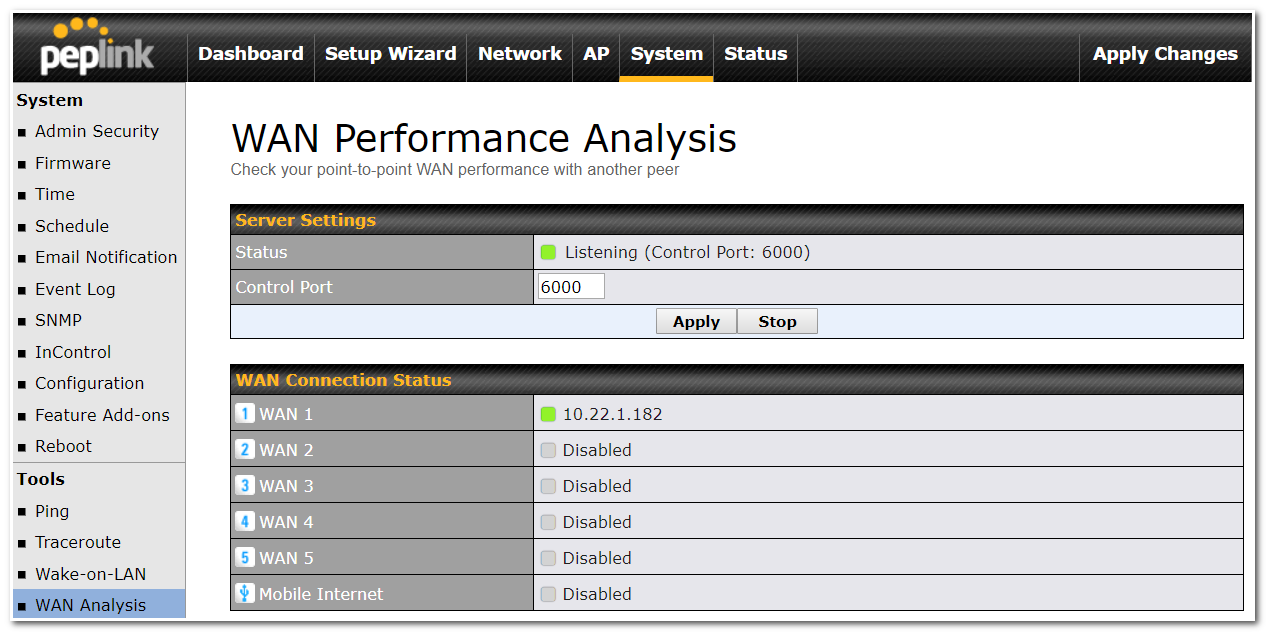
The default port is 6000 and can be changed if required. The IP address of the WAN interface will be shown in the WAN Connection Status section.
The client side has a few more settings that can be changed. Make sure that the Control Port matches what’s been entered on the server side. Select the WAN(s) that will be used for testing and enter the Server’s WAN IP address. Once all of the options have been set, click the Start Test button.
The test output will show the Data Streams Parameters, the Throughput as a graph, and the Results.
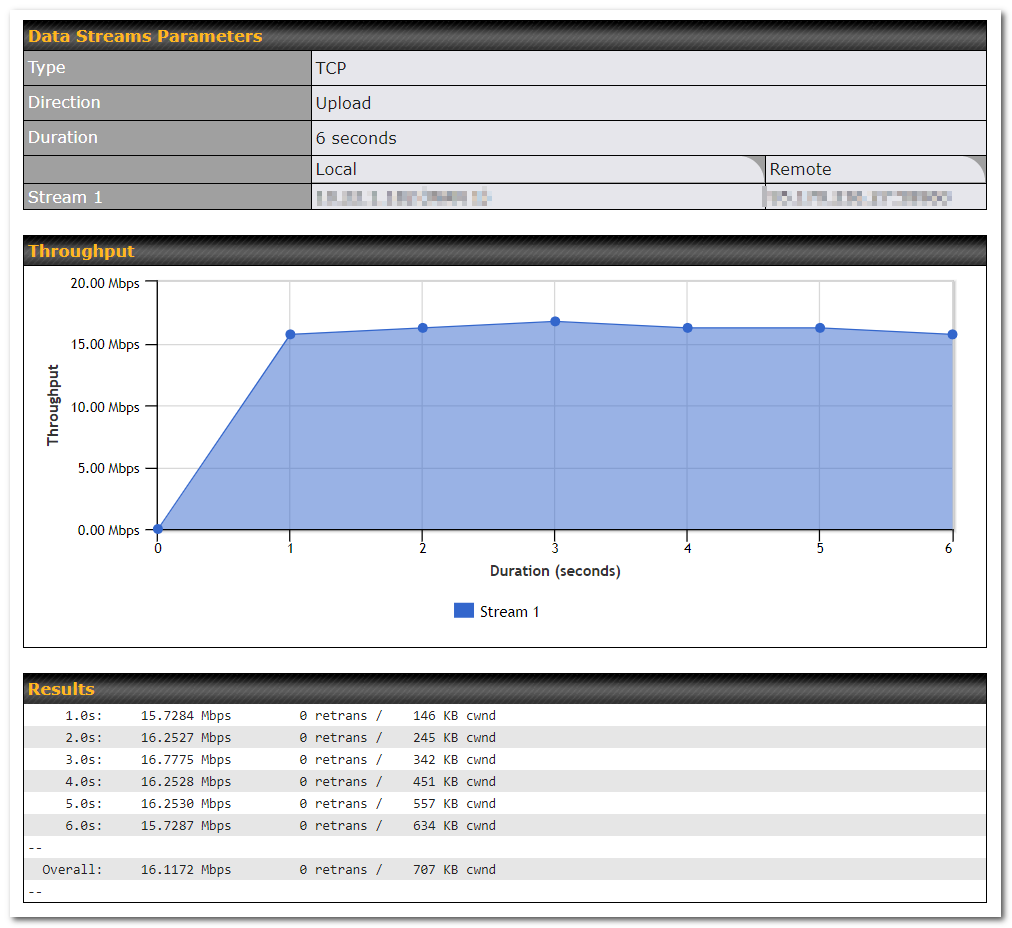
The test can be run again once it’s complete by clicking the Start button or you can click Close and change the parameters for the test.
29.5. CLI (Command Line Support)
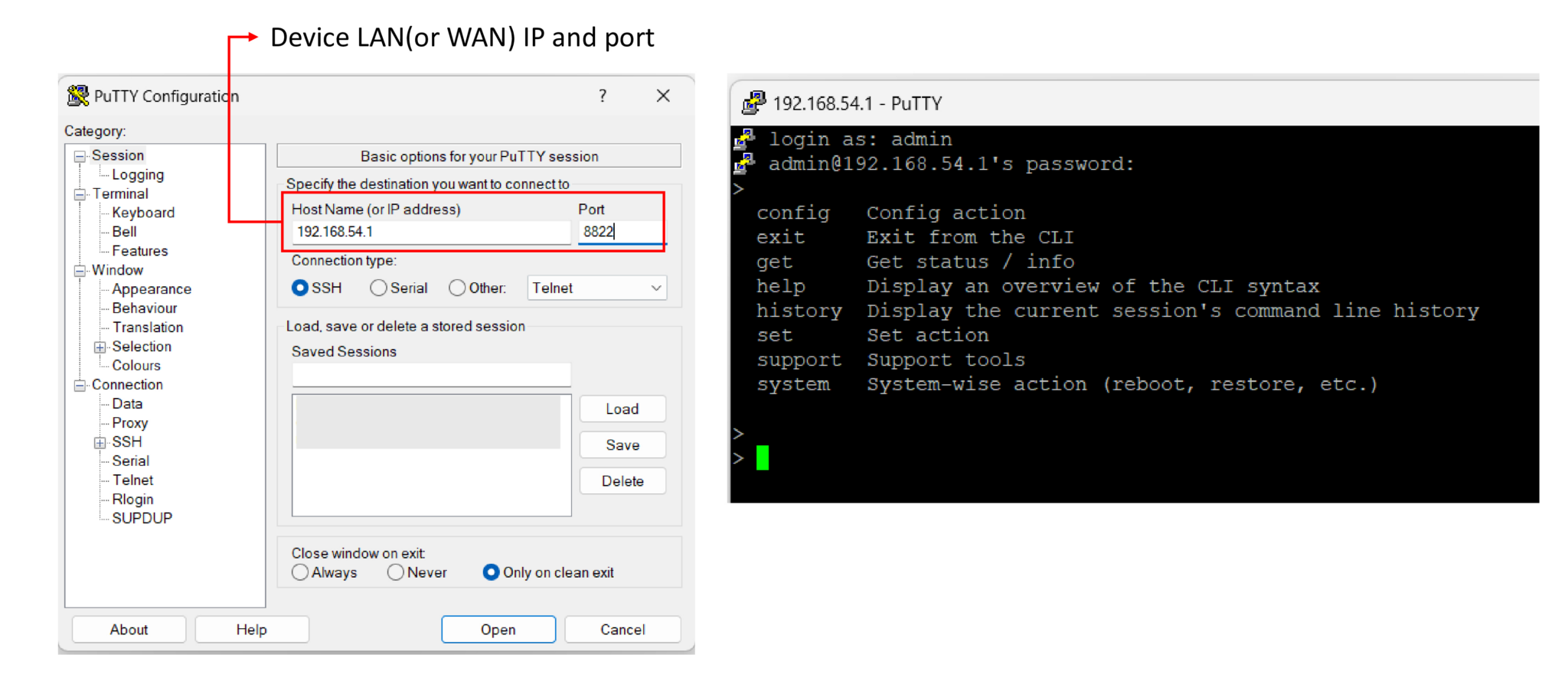
The CLI (Command Line Interface) can be accessed via SSH. You can use it to get device statistics and basic operations.
CLI Connect Method:
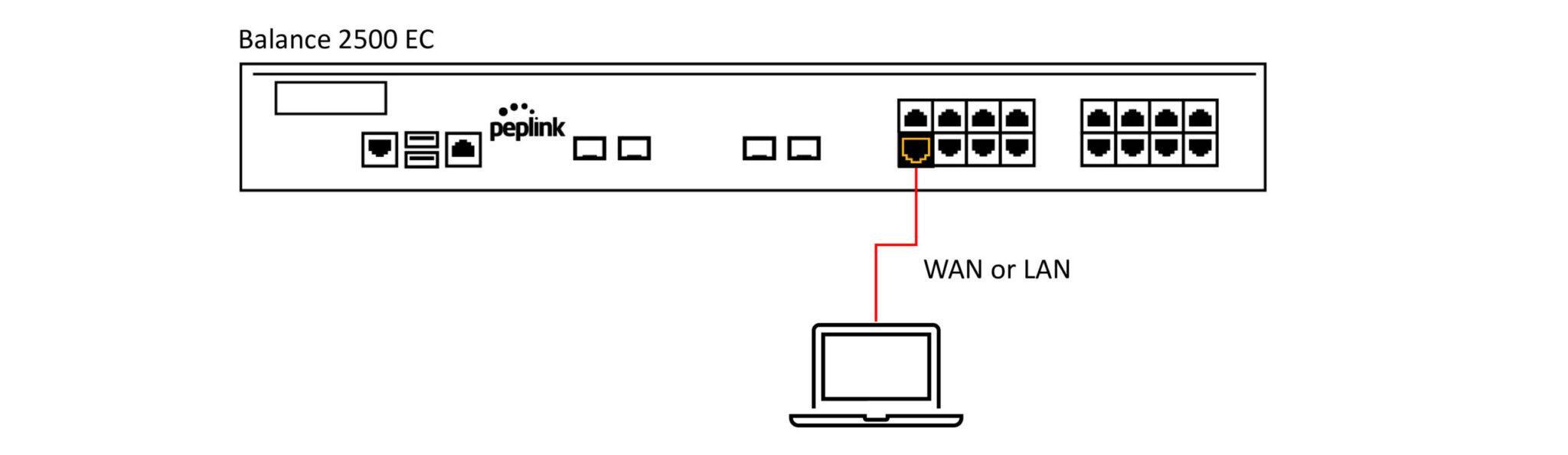
CLI (System > Admin Security):
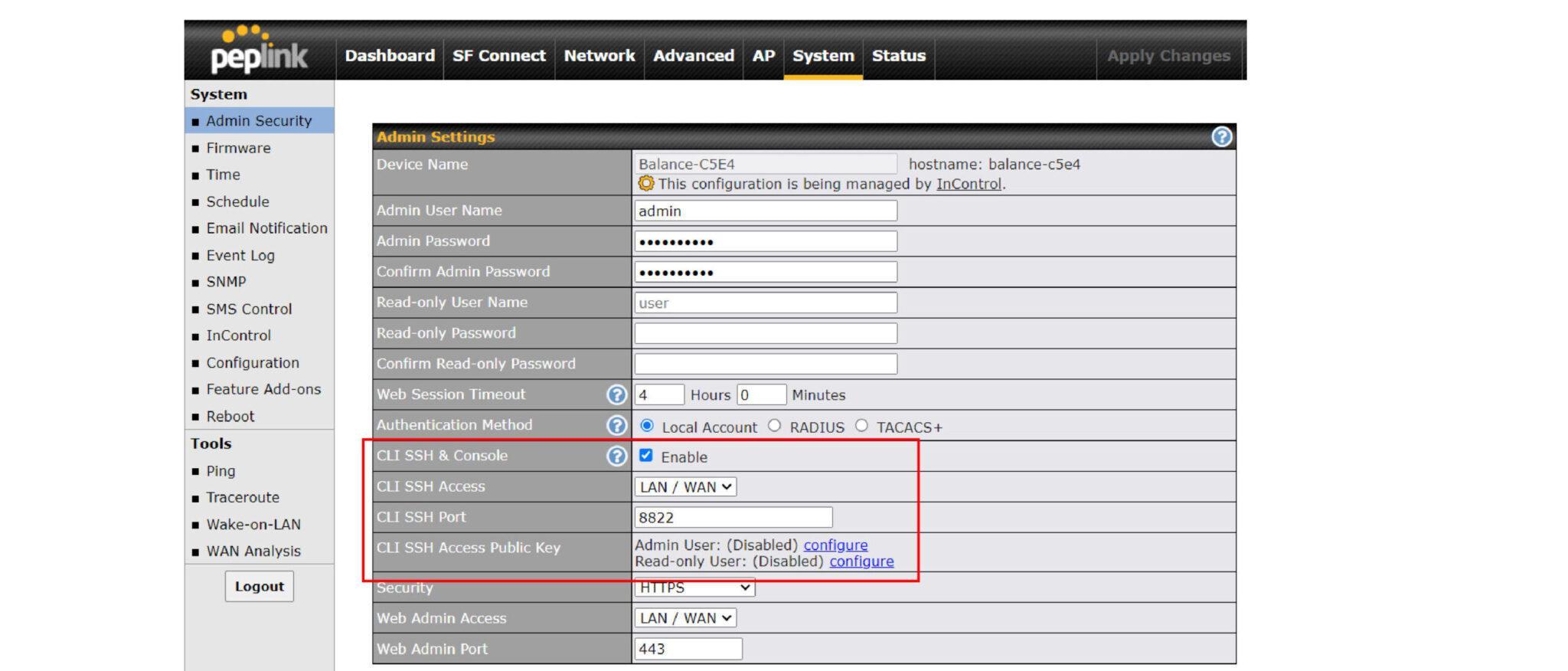
CLI:
Visit this link for the full command set.