
14. OpenVPN
OpenVPN is a site to site VPN mode that can encapsulate a wide variety of network layer protocols inside virtual point-to-point links over an Internet Protocol network.
To configure an OpenVPN, navigate to Advanced > OpenVPN and click the New Profile.
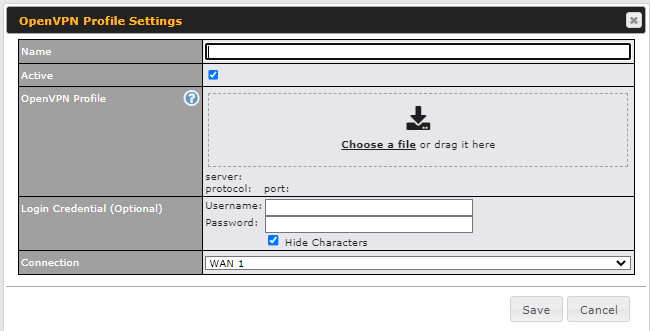
OpenVPN Profile Settings | |
Name | This field is for specifying a name to represent this OpenVPN profile. |
Active | When this box is checked, this OpenVPN connection profile will be enabled. Otherwise, it will be disabled. |
OpenVPN Profile | Upload the OpenVPN configuration (.ovpn) file from your service provider. |
Login Credential (Optional) | This option is optional for you to enter the username and password to log in for the OpenVPN connection if the profile needs to log in. |
Connection | Select the appropriate WAN connection from the drop-down menu. |