
8. Peplink MediaFast Overview
8.1. Peplink MediaFast 200
Panel Appearance
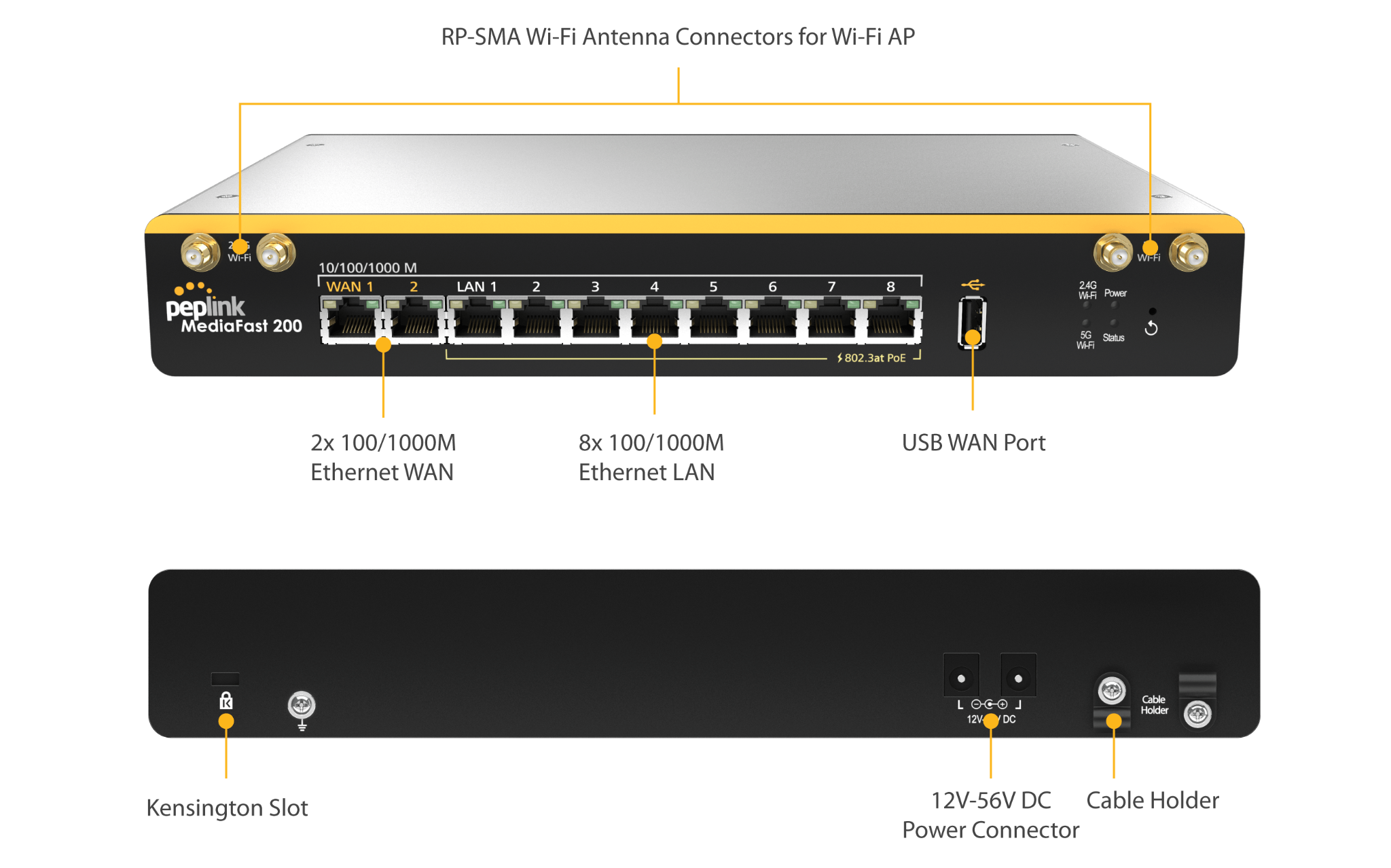
LED Indicators
Status indicated in the front panel is as follows:
LED Indicator | |
Power LED | OFF – Power off |
Green – Power on | |
LAN 1-3 Ports, WAN 1-5 Ports | |
Right LED | Orange – 1000 Mbps |
Green – 100 Mbps | |
OFF – 10 Mbps | |
Left LED | Solid – Port is connected without traffic |
Blinking – Data is transferring | |
OFF – Port is not connected | |
Port Type | Auto MDI/MDI-X ports |
Console & USB Ports | |
Console Port | Reserved for engineering use |
USB Ports | For connecting 4G/3G USB modems |
8.2. Peplink MediaFast 500
Panel Appearance
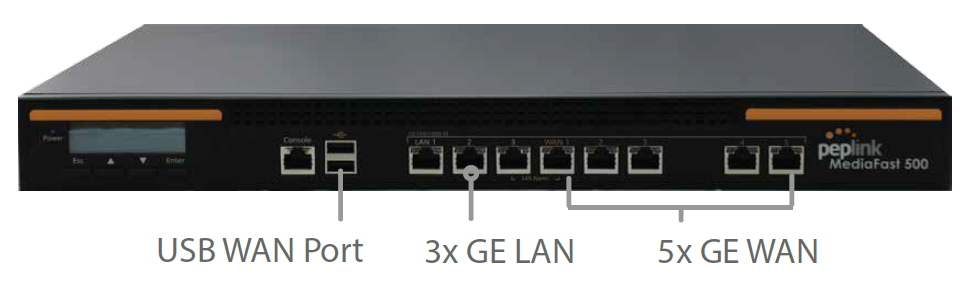
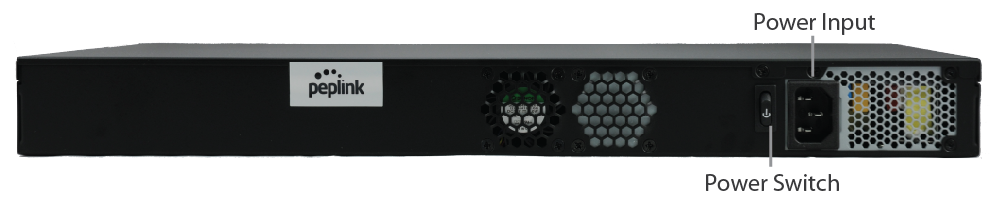
LED Indicators
Status indicated in the front panel is as follows:
LED Indicator | |
Power LED | OFF – Power off |
Green – Power on | |
LAN 1-3 Ports, WAN 1-5 Ports | |
Right LED | Orange – 1000 Mbps |
Green – 100 Mbps | |
OFF – 10 Mbps | |
Left LED | Solid – Port is connected without traffic |
Blinking – Data is transferring | |
OFF – Port is not connected | |
Port Type | Auto MDI/MDI-X ports |
Console & USB Ports | |
Console Port | Reserved for engineering use |
USB Ports | For connecting 4G/3G USB modems |
8.3. Peplink MediaFast 750
Panel Appearance
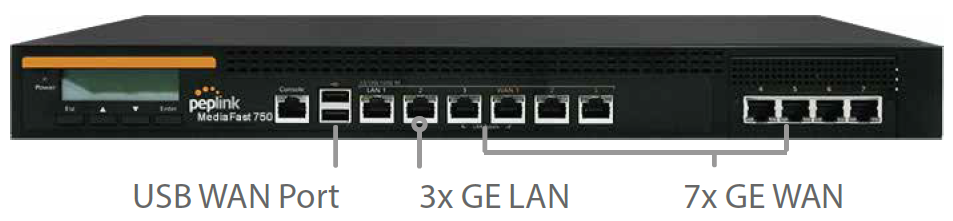
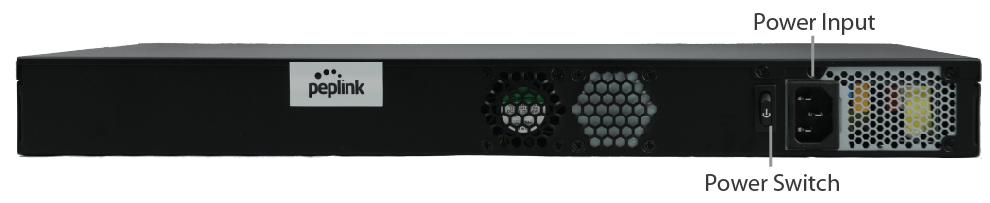
LED Indicators
Status indicated in the front panel is as follows:
LED Indicator | |
Power LED | OFF – Power off |
Green – Power on | |
LAN 1-3 Ports, WAN 1-5 Ports | |
Right LED | Orange – 1000 Mbps |
Green – 100 Mbps | |
OFF – 10 Mbps | |
Left LED | Solid – Port is connected without traffic |
Blinking – Data is transferring | |
OFF – Port is not connected | |
Port Type | Auto MDI/MDI-X ports |
Console & USB Ports | |
Console Port | Reserved for engineering use |
USB Ports | For connecting 4G/3G USB modems |