
4. Hardware Overview
4.1. AP One AX
Front View
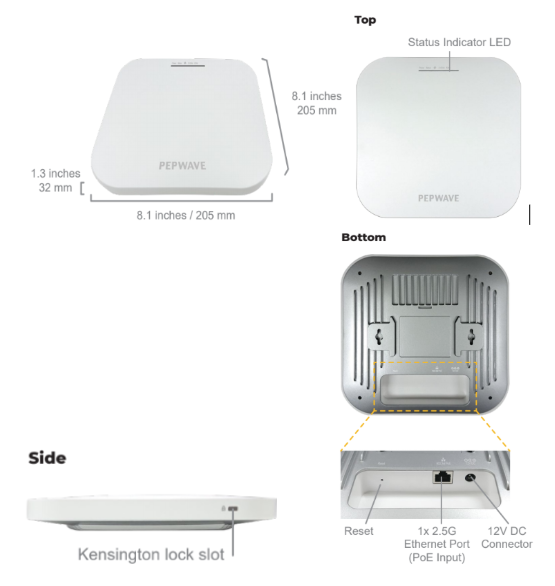
LED Indicators | ||
Power
| Blue LED | OFF – Power is Off ON – Power is On |
| Blue LED | OFF – Access point is initializing ON – Access point is ready |
Ethernet Port
| Blue LED | OFF – No data is being transferred or no device is connected to the Ethernet port BLINKING – Ethernet port is sending/receiving data ON – A powered-on device is connected to the Ethernet port |
Port Type | Auto MDI/MDI-X ports | |
| Blue LED | OFF – 2.4/5GHz Wi-Fi radio is off ON – 2.4/5GHz Wi-Fi radio is on / no Wi-Fi mesh uplink BLINKING – Indicates the state of the 2.4/5GHz Wi-Fi mesh uplink |


4.2. AP One AX Lite
Front View
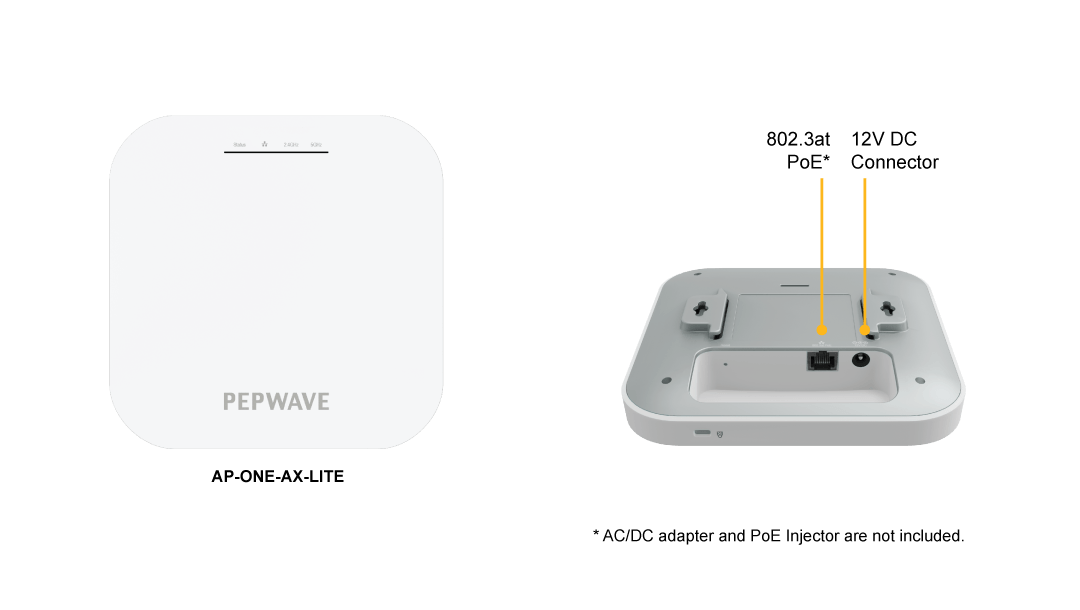
LED Indicators | ||
Status | Blue LED | OFF – Access point is initializing ON – Access point is ready |
Ethernet Port
| Blue LED | OFF – No data is being transferred or no device is connected to the Ethernet port BLINKING – Ethernet port is sending/receiving data ON – A powered-on device is connected to the Ethernet port |
Port Type | Auto MDI/MDI-X ports | |
| Blue LED | OFF – 2.4/5GHz Wi-Fi radio is off ON – 2.4/5GHz Wi-Fi radio is on / no Wi-Fi mesh uplink BLINKING – Indicates the state of the 2.4/5GHz Wi-Fi mesh uplink |


4.3. AP One Enterprise
Front View
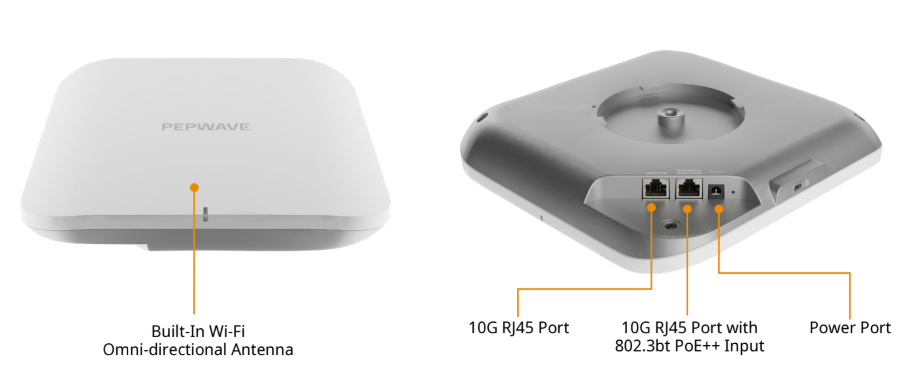
LED Indicators | ||
| RED | Access point initializing |
Blinking Red | Boot up error | |
GREEN | Access point ready | |
Blinking Green | Device firmware update in process | |
4.4. AP One Rugged
Front View
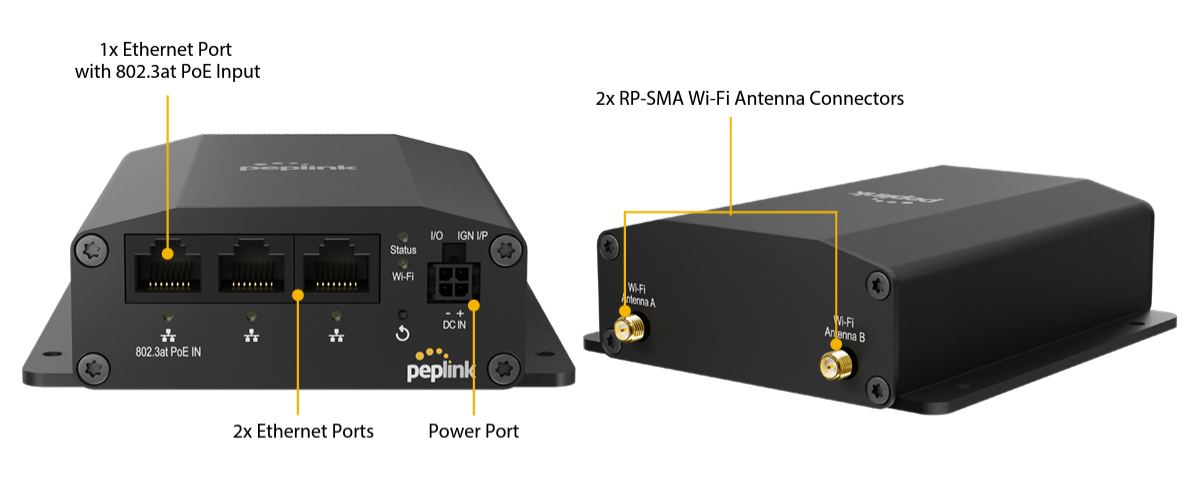
LED Indicators | ||
Status | RED – Access point is initializing GREEN – Access point is ready | |
Wi-Fi | OFF – Wi-Fi AP is off GREEN – Wi-Fi AP is on | |
Ethernet Port | ON – Port is connected without traffic LAN BLINKING – Ethernet port sending/receiving data OFF – No data is being transferred or no device connected to the Ethernet port | |
4.5. AP Pro AX
Front View
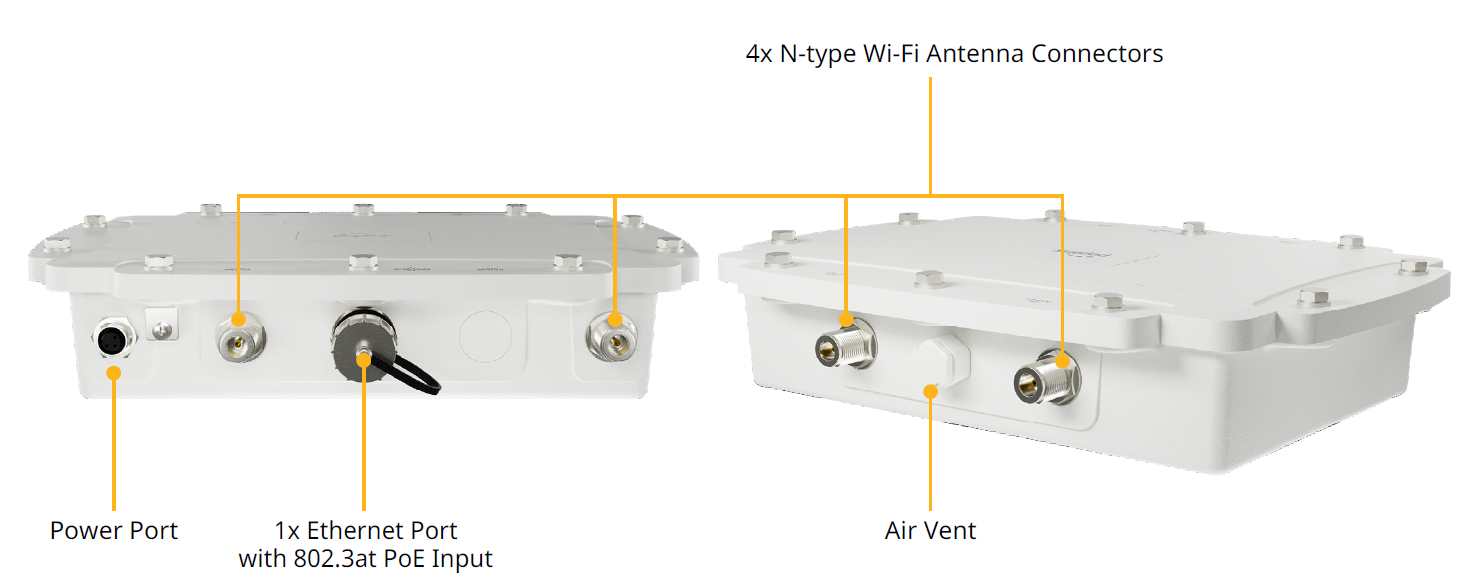
LED Indicators | |
Status | OFF – Access point is initializing ON – Access point is ready |
4.6. AP Pro AX (HW2)
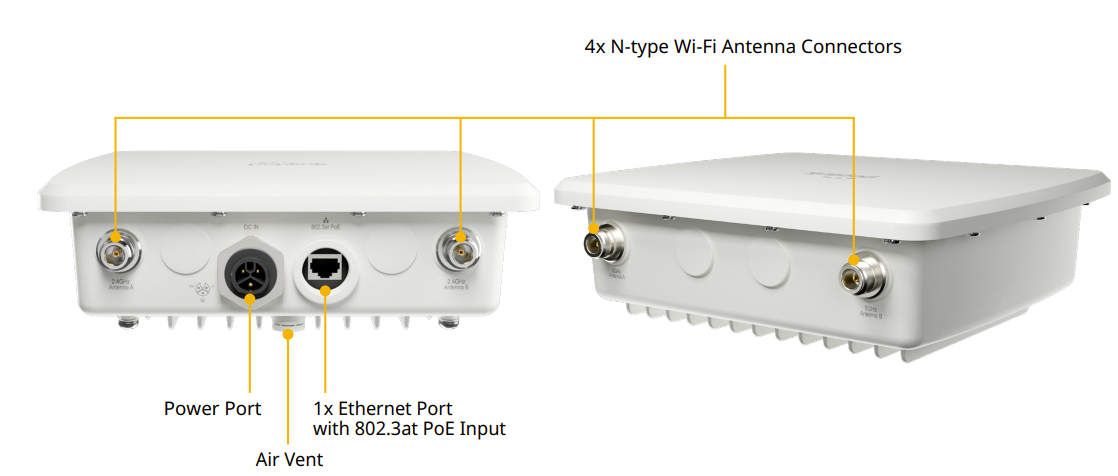
LED Indicators | |
Status | OFF – Access point is initializing ON – Access point is ready |
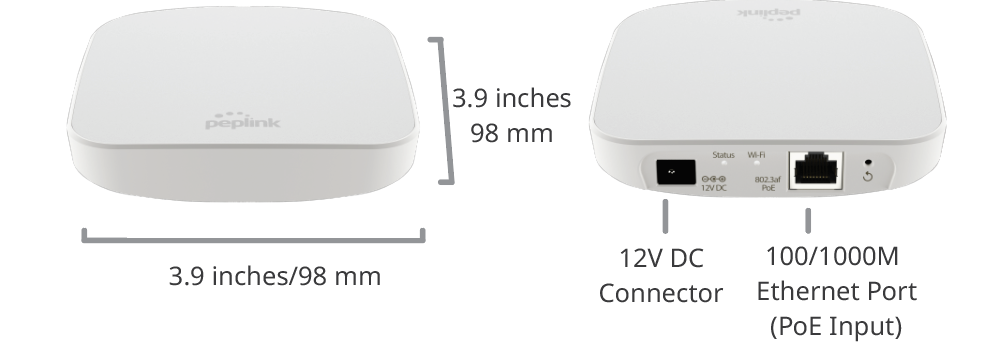
4.7. AP One Mini
Front View | Rear Panel View
WAN | |
Status | RED – Access point initializing GREEN – Access point ready |
Wi-Fi | OFF – 2.4/5GHz Wi-Fi radio off BLINKING – AP sending/receiving data GREEN – 2.4/5GHz Wi-Fi radio on. Note that this model includes a 2.4GHz Wi-Fi radio and a 5GHz Wi-Fi radio that can operate simultaneously to increase speed and reduce interference. |