
1. Procedure for Changing the FlexModule Mini on the B380X/B580X
Step 1: Power off the router. The router MUST be disconnected from power before starting the upgrade.
Step 2: Disconnect all antennas.
Step 3: Loosen the screws on the cover or the installed FlexModule Mini.
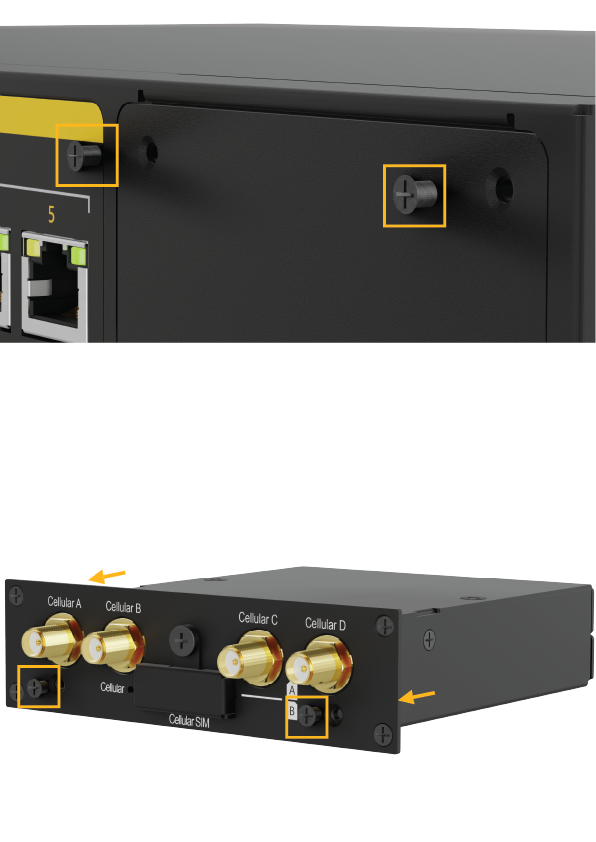
Step 4: Remove the cover or module by pulling it out directly.
Step 5: Loosen the screws on the new FlexModule Mini in order to remove the module cover, which is for the Balance 20X.
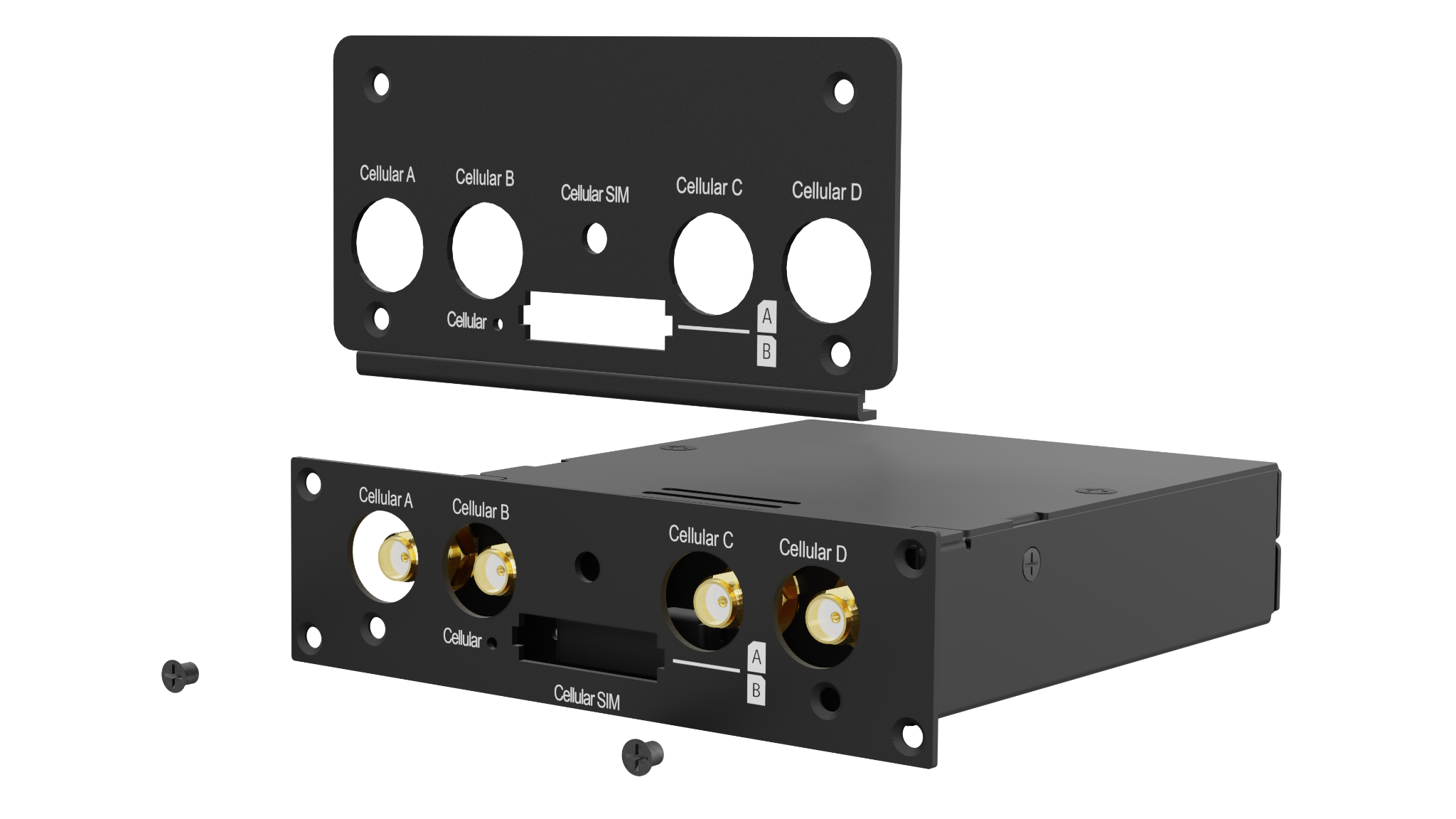
Step 6: Install the 380X/580X module cover and tighten the screws.
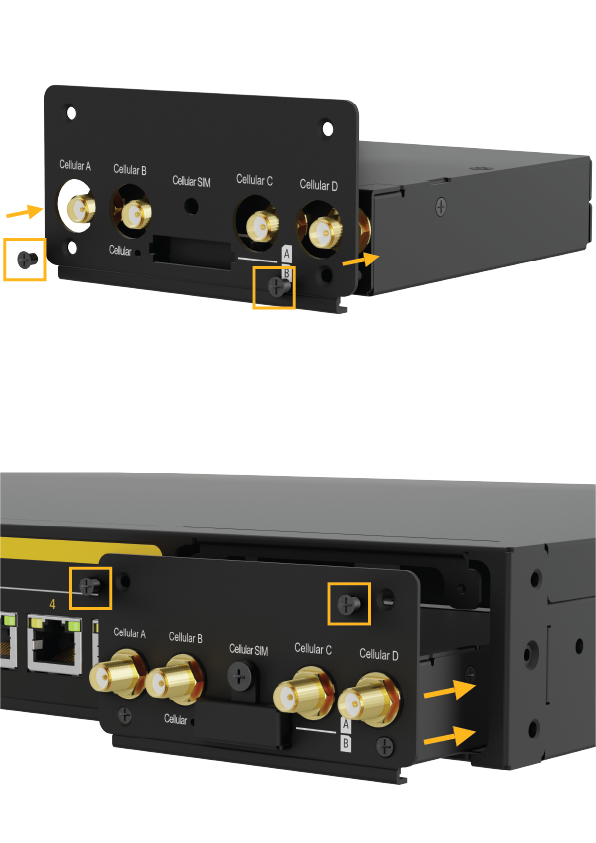
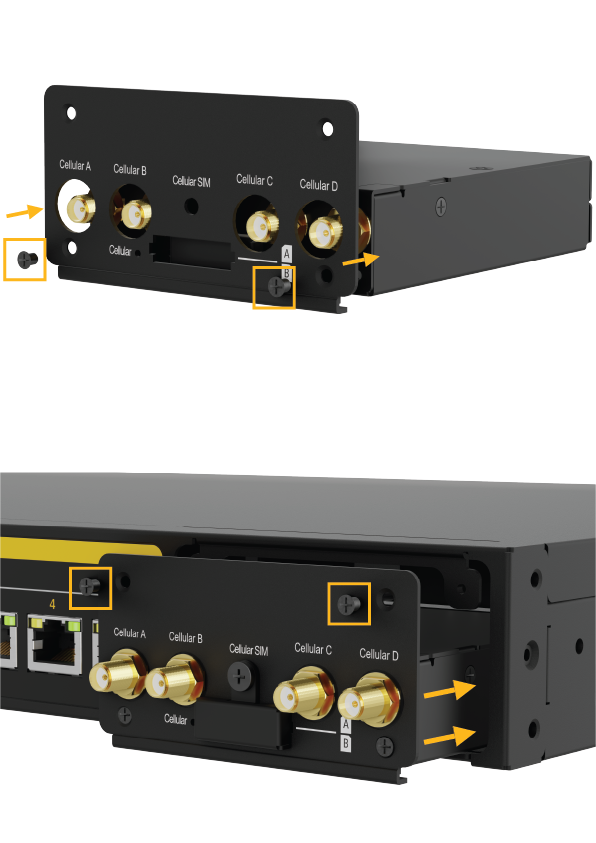
Step 7: Install the new module. Make sure it is correctly aligned before pressing the module firmly into place. The FlexModule Mini should sit flush with the router chassis.
Step 8: Tighten the screws until the FlexModule Mini sits flush and tight with the collar.
Step 9: Reconnect the antennas.
Step 10: Reconnect the power.